

AI marketing
— In plain English
AI that works inside your business.
Your business already runs on tools: email, a CRM, Mailchimp, a website. I connect them to an AI assistant that does the repetitive part. It reads, sorts, drafts and logs. You make the decisions.
- 1
Your tools
Gmail or Outlook, your CRM, Mailchimp, Xero, your website. They stay exactly where they are.
- CRM
- Mailchimp
- Website
- 2
An AI assistant
I connect it and teach it your voice and your rules. It does the reading, sorting, drafting and filing.
- Reads
- Drafts
- Logs
- Summarises
- 3
You
You check it and press send. Nothing goes out, and nothing is changed, without your yes.
- Approve
- Edit
- Decide
A good fit if
- You answer the same kinds of emails every week.
- Leads and quotes sit in your inbox, not in a system.
- You know marketing matters but never get to it.
Probably not for you if
- You want a robot to run the business with nobody checking.
- You have no repeating work. Every job is one of a kind.
- You need something built from scratch for thousands of users.
— See it work
What eats your week?
Pick one. Here is what the assistant would do, and where you step in. These are examples, and your setup is built around your own tools.
Example · Enquiries pile up
- Happens
An email arrives
“Hi, can you quote for a 40 square metre deck in Lennox Head? We’d like to start in March.”
- AI
It reads and sorts
Spots a quote request. Pulls out the suburb, the size and the timing. Checks your price list.
- AI
It drafts the reply
A short answer in your voice, with the questions you always ask, and a link to book a site visit.
- AI
It files the lead
A new contact and a follow-up task in your CRM, due Thursday.
- You
You approve
You read it, change a word if you like, and press send.
Result The reply is ready when you open your inbox. You do the part that needs you.
— Tools I can connect
You keep the tools you already use. I connect them to AI and make them work together. Not every tool suits every job, and I’ll tell you what works for yours.
- ChatGPT
- Claude
- Gemini
- Gmail
- Outlook
- Google Drive
- Google Business Profile
- Google Analytics
- HubSpot
- Pipedrive
- Zoho
- Mailchimp
- Xero
- MYOB
- QuickBooks
- Stripe
- WordPress
- Shopify
- Zapier
- Make
- Notion
- Airtable
- Calendly
- Cloudinary
- Vimeo
- Canva
— Recent work
Made for people like you.
- EcoTiny
- Hunti
- Jungle Ballina
- The Colony Bee
- Nautog
- Jamie Zhu
- 01 / 2024

Hunti
Booking and operations platform for a bush school
Nuxt · Keystone · Postgres · Stripe · Xero
Read case study →
- 02 / 2025
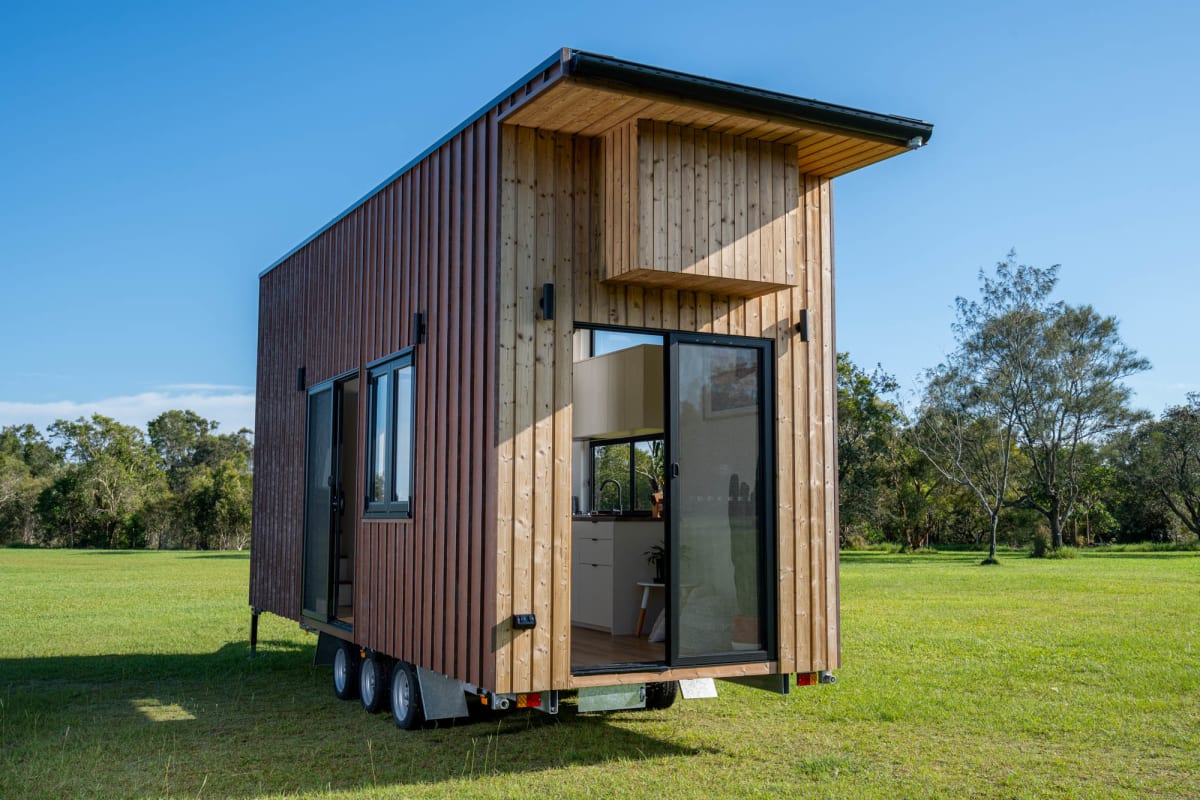
EcoTiny
Brand, website, photo and film for eco tiny homes
Nuxt · Mailchimp · Photo · Drone film
Read case study →
- 03 / 2025

Nautog
Sailing logbook and boat management app for iOS
React Native · Expo · Supabase · Stripe
Read case study →
- 04 / 2024
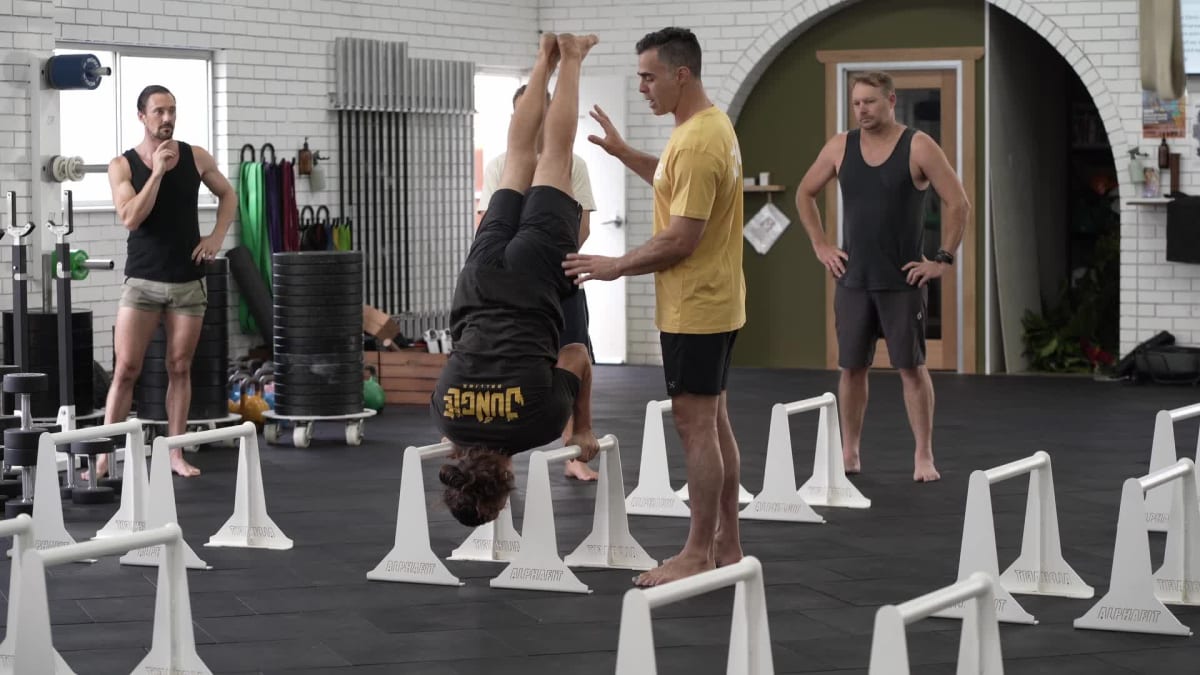
Jungle Ballina
Brand photography and video
Photography · Video · Sony A7 IV
Read case study →
— What I do
AI makes the volume. I keep it good.
01
AI inside your business
The boring work that repeats every week. I connect your tools to an AI assistant and show your team how to use it.
- Every morningEnquiriesNew emails sorted and replies drafted in your voice. You read it, you send it.Read more →
- Every leadFollow-upsEach enquiry logged in your CRM with a follow-up task. No copy and paste.Read more →
- Every MondayWeekly summaryLeads, quotes and campaigns in one short note, with three things to do next.Read more →
02
Marketing assets
Everything you put in front of customers. AI drafts it fast. I direct it, edit it and approve it.
- Weeks, not monthsWebsiteDesigned with AI, built in Nuxt, finished by hand. Connected to an AI coding assistant, so you can update it yourself.Read more →
- Real, then multipliedPhotos and filmI shoot on location. AI helps with the crops, cut-downs and edits for every channel.Read more →
- Always onAutomated social mediaA month of posts written in your voice and scheduled automatically. You approve once, then they publish themselves.Read more →
— Five parts
Where the AI helps, and where it doesn’t.
- 01
Direction
I set the look, the voice and the rules the AI works to. Without this you get generic. With it, the work sounds like you.
Human - 02
Assets
Websites, apps, photos, film, social posts and emails. AI makes the first versions at speed.
AI + me - 03
Real shoots
Photography, drone and underwater film, on location. This is the part AI can’t do.
Human - 04
Connect
An AI assistant wired into your email, CRM and Mailchimp, with a human approving anything that goes out.
AI + you - 05
Run
A monthly plan to keep content fresh and the assistant working. Optional, and you can stop any time.
Optional
— How a project runs
From a call to live, in five steps.
- 01
Talk
A free 20-minute call. What are you selling, who to, and what repeats every week. If I can’t help, I’ll say so.
- 02
Brand kit
We write down your voice, look and rules. This is what the AI works to, and what I check against.
- 03
Build
AI drafts the assets. I direct, edit and shoot where it needs real pictures.
- 04
Check
I review every asset. You approve before anything goes live. Nothing is published on its own.
- 05
Launch and run
You get a written handover. Then, if you want it, a monthly plan to keep going.
Scope and price in writing before you commit. No surprises.
— Your price
See your price in a minute.
Pick what you want taken off your plate and a ticket prints the estimate, like a receipt. A 20-minute call turns it into a fixed price in writing.
- Setup price up front, with optional monthly care
- Add as many custom agents as you like
- You own your files, logins and accounts
MIGALOO DIGITAL
AI · WEB · PHOTO · FILM
1 EMAIL ASSISTANT1,800.00
1 SOCIAL MEDIA POSTING3,600.00
1 MONDAY SUMMARY1,200.00
SETUP TOTAL6,600.00
PRICES CONFIRMED ON A
20-MINUTE CALL.
THANK YOU. SEE YOU SOON.

— Who
One person. A lot of tools.
I’m Jeremy. A Frenchy in Ballina with over twenty years of building websites, and a camera since I was a kid. I’m also a commercial diver.
AI now does the volume: the drafts, the variations, the edits. My job is direction, taste and checking. That’s why you never get a bot’s first draft.
You talk to me, not a team. If your project isn’t right for me, I’ll tell you on the first call.
About the studio- 20+years building for the web
- 1person. No account managers.
- 3 weeksEcoTiny: brand, site, photos and film
— Why bother
Our goal is to save you money.
Repetitive work costs you time and money every week. Move the sliders to your own numbers and see roughly what the assistant could give back.
1 What the repetitive work costs you today
2 How much could the AI assistant take over?
Example only, not a guarantee: you could save about
$7,416 a year
That is about 125 hours given back to you.
- Costs you today
- $24,720
- You keep
- $7,416
An estimate to show the idea, not a promise. It is your own numbers, worked out in your browser, and nothing is sent. On a free call we check what is realistic for your business.
Find my savings— Questions
Straight answers.
Will my marketing look like AI made it?
Not if it’s done properly. AI drafts quickly, but I set the brand rules first, then edit and approve everything. And where it matters, like your product, your place and your people, I use real photos and film.
Who checks the work?
I do. Every asset goes past me before it reaches you, and you approve it before anything goes live.
Do I own what you make?
You get the final files and the website code. The exact terms go in the proposal, in writing.
What does it cost?
It depends on what you need. After a 20-minute call I send scope and price in writing, before you commit to anything.
How long does it take?
It depends on the job. EcoTiny went from no brand to a logo, a website, photos and film in three weeks.
Which AI tools do you use?
A mix of the main assistants and image and video tools. I pick what fits the job and tell you what I used. The tools change often, and the process around them doesn’t.
Is my data safe?
Your tools stay in your own accounts. I connect through each tool’s own sign-in and never ask for passwords. Each job gets only the access it needs, and you can switch it off any time.
Do you only work locally?
I’m based in Ballina and work in person across the Northern Rivers, including Byron Bay, Lismore and the Tweed. Everything except on-location shoots can be done remotely, anywhere in Australia.
— Where I work
Based in Ballina. Working across the Northern Rivers and Australia.
- BallinaHome base
- Byron BayAbout 30 minutes
- LismoreAbout 30 minutes
- Lennox HeadAbout 10 minutes
- Evans HeadAbout 25 minutes
- Tweed HeadsAbout 50 to 60 minutes
- MullumbimbyAbout 30 to 45 minutes
Elsewhere in Australia? Most of what I do is remote. All areas
— Start here
Start with a 20-minute call.
Tell me what you sell and what repeats every week. I’ll say honestly whether AI can help. If it can’t, it costs you nothing.